
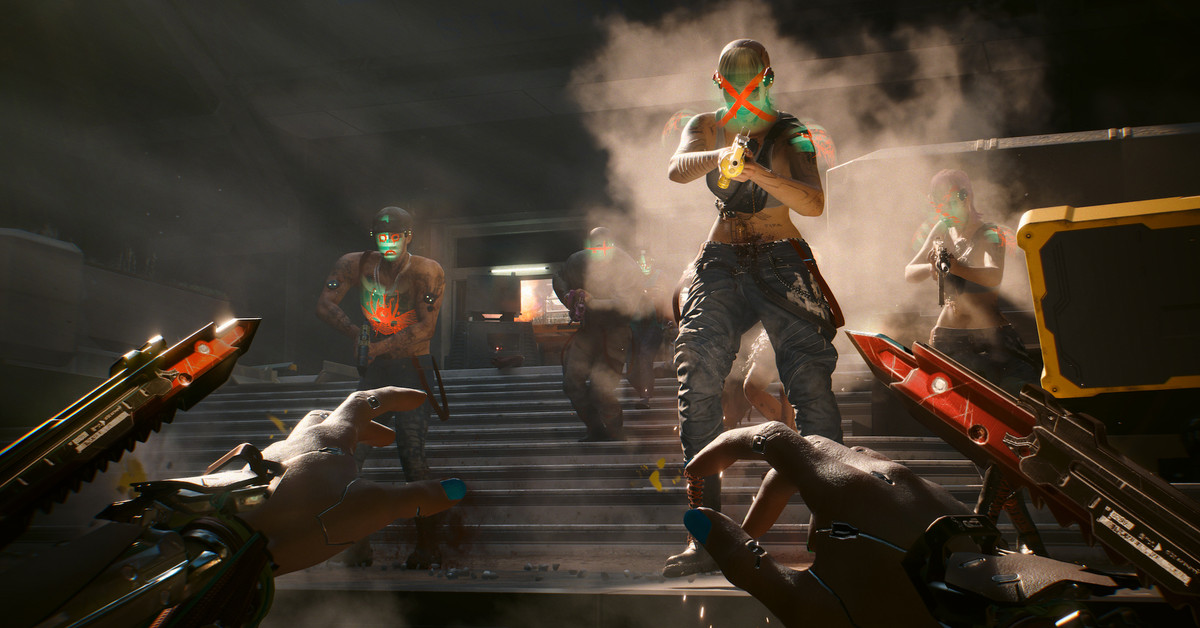
Unleashing the Power of Nvidia’s DLSS 4: Transforming Cyberpunk 2077
Nvidia’s latest innovation, DLSS 4 (Deep Learning Super Sampling), has taken the gaming world by storm, particularly impacting the visually stunning yet demanding world of Cyberpunk 2077. As gamers seek to immerse themselves in this dystopian future, Nvidia’s technology offers a way to enhance graphics and performance without requiring top-tier hardware. This article delves into how DLSS 4 is revolutionizing the gameplay experience in Cyberpunk 2077 and what it means for gamers around the globe.
What is DLSS 4?
DLSS 4 is an advanced AI-driven technology that leverages machine learning to upscale lower-resolution images to higher resolutions, effectively allowing games to run smoother and look better. By utilizing deep learning algorithms, DLSS 4 generates images that maintain visual fidelity while significantly reducing the computational load on graphics cards. This technology is particularly beneficial for resource-intensive games like Cyberpunk 2077, where high-resolution graphics can strain even the most powerful GPUs.
The Impact of DLSS 4 on Cyberpunk 2077
Cyberpunk 2077 is known for its breathtaking graphics, expansive open world, and intricate details. However, these features come at a cost, often leading to performance issues on various hardware setups. With the integration of DLSS 4, players can experience improved frame rates and enhanced graphics quality without sacrificing performance. Here’s how:
- Enhanced Performance: DLSS 4 allows gamers to run Cyberpunk 2077 at higher settings while maintaining smooth gameplay. This technology significantly reduces the load on the GPU, enabling higher frame rates even in the most demanding scenes.
- Visual Fidelity: The upscaling technology ensures that images retain clarity and detail, making the neon-lit streets of Night City come alive. Players can enjoy vibrant colors and intricate details without the need for powerful hardware.
- Adaptive Graphics Settings: DLSS 4 can dynamically adjust graphics settings based on the player’s hardware, ensuring an optimized experience regardless of whether they are using a top-tier or mid-range GPU.
How Gamers are Leveraging DLSS 4
Many gamers have begun to explore the potential of DLSS 4 in Cyberpunk 2077, and the results have been impressive. Here are some ways players are taking advantage of this groundbreaking technology:
- Maximizing Settings: With DLSS 4, players can crank up the graphics settings, enabling ray tracing and ultra textures without the performance drop typically associated with such enhancements.
- Streamlining Gameplay: Gamers streaming their gameplay on platforms like Twitch have reported smoother frame rates and better overall video quality, making their streams more enjoyable for viewers.
- Competitive Edge: For players interested in PvP elements or competitive gameplay, the increased frame rates provided by DLSS 4 can offer a significant advantage, allowing for quicker reactions and smoother movements.
Comparing DLSS 4 to Previous Versions
Each iteration of Nvidia’s DLSS technology has brought notable improvements, and DLSS 4 is no exception. Here’s how it compares to its predecessors:
- DLSS 1.0: The initial version struggled with image quality, often producing artifacts that detracted from the experience.
- DLSS 2.0: This version marked a significant improvement, offering better image quality and more consistent results across various games. It introduced temporal feedback, which enhanced the overall visual experience.
- DLSS 3.0: Continued to build on its predecessors, but many players felt that while it improved performance, it still had room for growth in image fidelity.
- DLSS 4.0: With its advanced AI capabilities, DLSS 4 promises to deliver unparalleled image quality while maintaining high-performance standards, making it a game-changer for demanding titles like Cyberpunk 2077.
Setting Up DLSS 4 in Cyberpunk 2077
To take advantage of DLSS 4 in Cyberpunk 2077, players need a compatible Nvidia RTX graphics card. Here’s a quick guide on how to enable DLSS 4:
- Ensure that you have the latest Nvidia drivers installed.
- Launch Cyberpunk 2077 and navigate to the settings menu.
- Under the graphics settings, locate the DLSS option.
- Select DLSS 4 from the dropdown menu.
- Adjust other graphics settings to your liking, and enjoy a boosted gameplay experience!
Looking Ahead: The Future of Gaming with DLSS
The introduction of DLSS 4 marks a significant milestone in the evolution of gaming technology. As more developers integrate this technology into their games, we can expect to see:
- More Immersive Experiences: With enhanced graphics and smoother gameplay, future titles will likely push the boundaries of what gamers can expect in terms of visual and interactive experiences.
- Broader Hardware Compatibility: As DLSS technology evolves, it is expected that Nvidia will continue to refine its algorithms, making it accessible for a wider range of hardware setups.
- Increased Adoption: More game developers are likely to adopt DLSS technology, particularly for graphically intensive games, ensuring that players can enjoy high-quality visuals without needing the latest hardware.
Conclusion
In conclusion, Nvidia’s DLSS 4 is undeniably a game-changer for Cyberpunk 2077 and the broader gaming community. By enhancing graphics and performance, this technology allows players to experience the rich, immersive world of Night City like never before. As we move forward, the potential of DLSS 4 signifies a promising future for gaming, where stunning visuals and smooth gameplay become the norm rather than the exception. With this powerful tool, gamers can truly unleash their full potential, diving deep into the heart of their favorite virtual worlds with unprecedented fidelity and performance.
See more CNET Live